# 1. Install & activate PRIMER 8
# Overview
To get started using PRIMER 8, you will need to follow two essential steps:
- first, ***install*** the software on your machine;
- second, ***activate*** the software, using your purchased licence key.
These two steps are outlined in detail below.
#### Install PRIMER 8
When you purchase a subscription, a direct link to download the PRIMER 8 software installer (an executable file called 'PRIMER8Setup.exe') will be sent to you *via* email, along with your licence key. Alternatively, you can go to our [download page](https://www.primer-e.com/download) and download it from there. Note that the same installer file is used for all PRIMER 8 subscription plans.
***Important note:** You will need to have administrator permissions on your user account in Windows to install PRIMER 8 software on your computer. If you do not have these permissions, please contact your IT team who should be able to assist you with the installation.*
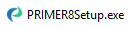
1. Double-click on the executable file to start the installation process.
[](https://learninghub.primer-e.com/uploads/images/gallery/2026-03/01-primer8setup-exe.png)
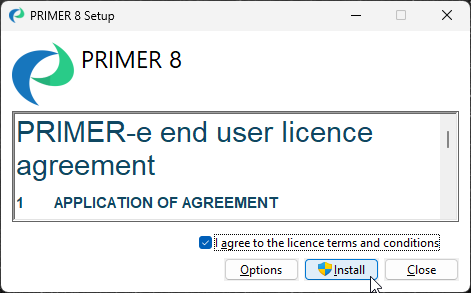
2. A 'PRIMER 8 Setup' window will appear. Please read the 'PRIMER-e end user licence agreement' ([EULA](https://www.primer-e.com/licence-agreement/)). If you agree to the terms and conditions of this EULA, click on the tick-box $\checkmark$'I agree to the licence terms and conditions' and then click '**Install**'.
[](https://learninghub.primer-e.com/uploads/images/gallery/2026-02/install-primer-dialog.png)
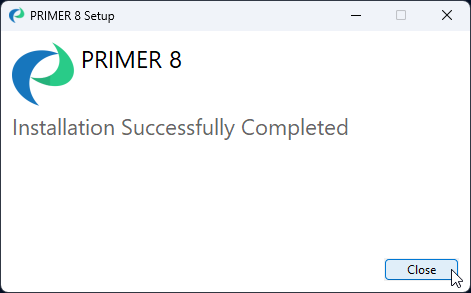
3. Follow the prompts and once the installation has completed successfully, click '**Close**'.
[](https://learninghub.primer-e.com/uploads/images/gallery/2026-02/03-installation-success.png)
Once the software is installed, you can launch the PRIMER 8 software and it will run in [trial mode](https://learninghub.primer-e.com/link/1122) for free for 14 days. You will need to activate your licence key in order to enable full functionality of the software in accordance with your purchased subscription plan.
#### Activate PRIMER 8
***Note:** The machine on which you are activating PRIMER must be connected to the internet and able to talk to our authentication server.*
1. Launch PRIMER 8 (e.g., by double-clicking on the PRIMER 8 icon on your desktop):
[](https://learninghub.primer-e.com/uploads/images/gallery/2026-03/04-primer-8-software-icon.png)
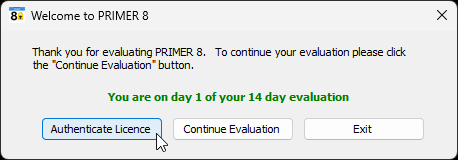
2. Click on the '**Authenticate Licence**' button in the 'Welcome to PRIMER 8' dialog box.
[](https://learninghub.primer-e.com/uploads/images/gallery/2026-03/day-one-evaluation-period.png)
(*Note: If you have already exhausted your 14-day trial, a message may appear to advise you that 'Your evaluation period has expired'. If that happens, simply click on '**Authenticate Licence**' to carry on with the instructions to activate your licence.*)
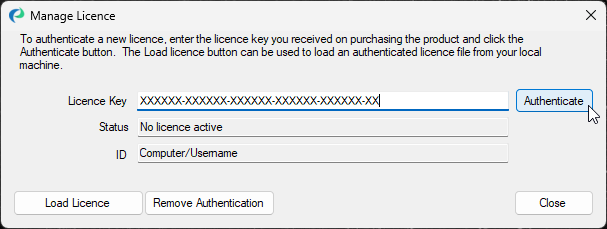
3. In the 'Manage Licence' dialog window, copy and paste your 37-character licence key code into the 'Licence Key' box and click '**Authenticate**'.
[](https://learninghub.primer-e.com/uploads/images/gallery/2026-02/authenticate-primer-licence-2.png)
PRIMER 8 will now operate with all of the entitlements and functionality associated with your subscription plan.
For more details regarding installing, activating, and trouble-shooting any issues that could arise here, see [Managing your PRIMER 8 installation](https://learninghub.primer-e.com/link/1123).
---
¶*You may explore the features of PRIMER 8 [in trial mode](https://learninghub.primer-e.com/link/1122) for free for a period of 14 days without purchasing and activating the software using a licence key, but not all features will be fully functional.*