# Step 2: Jaccard resemblance
#### Calculate the Jaccard resemblance
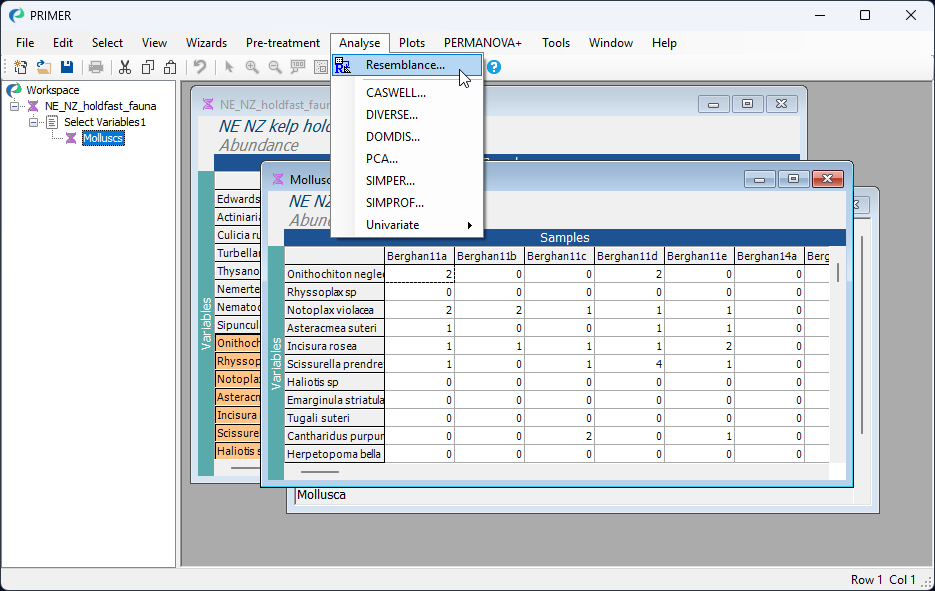
From the 'Molluscs' data sheet, click **Analyse** > **Resemblance...**.
[](https://learninghub.primer-e.com/uploads/images/gallery/2026-02/08-analyse-resem-hf.png)
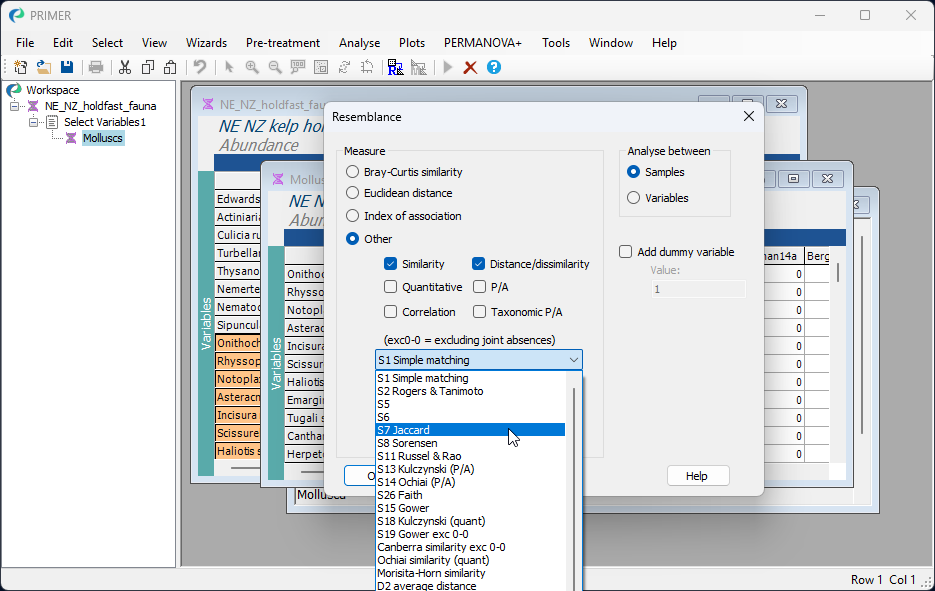
In the 'Resemblance' dialog, choose ($\bullet$Other) and then click on the drop-down menu to find 'S7 Jaccard', then click **OK**. (Note: 'S7' refers to the nomenclature used by {{@483#bkmrk-legendrelegendre2012}} in their Chapter 7 on measures of ecological resemblance).
[](https://learninghub.primer-e.com/uploads/images/gallery/2026-02/09-choose-jaccard-hf.png)
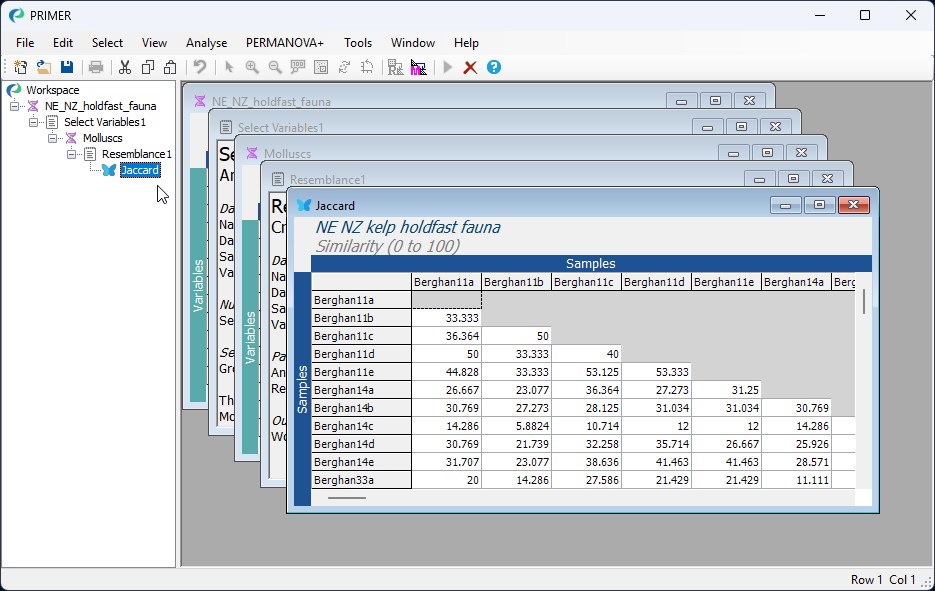
This produces a Jaccard similarity matrix among all pairs of holdfasts, called 'Resem1' by default. A nice feature of the Jaccard similarity measure is that it is directly interpretable as the percentage of shared species. For example, the first two holdfasts in the data matrix have a Jaccard similarity of 33.33%, so approximately one-third of the species that occur in either one or the other holdfast occur in both of them (i.e., are jointly present).
You can re-name this 'Jaccard' (click on the name 'Resem1' in the Explorer tree and hit the 'F2' key to re-name it), for clarity in what follows.
[](https://learninghub.primer-e.com/uploads/images/gallery/2026-02/10-jaccard-resem-hf.png)