# Bubble colours
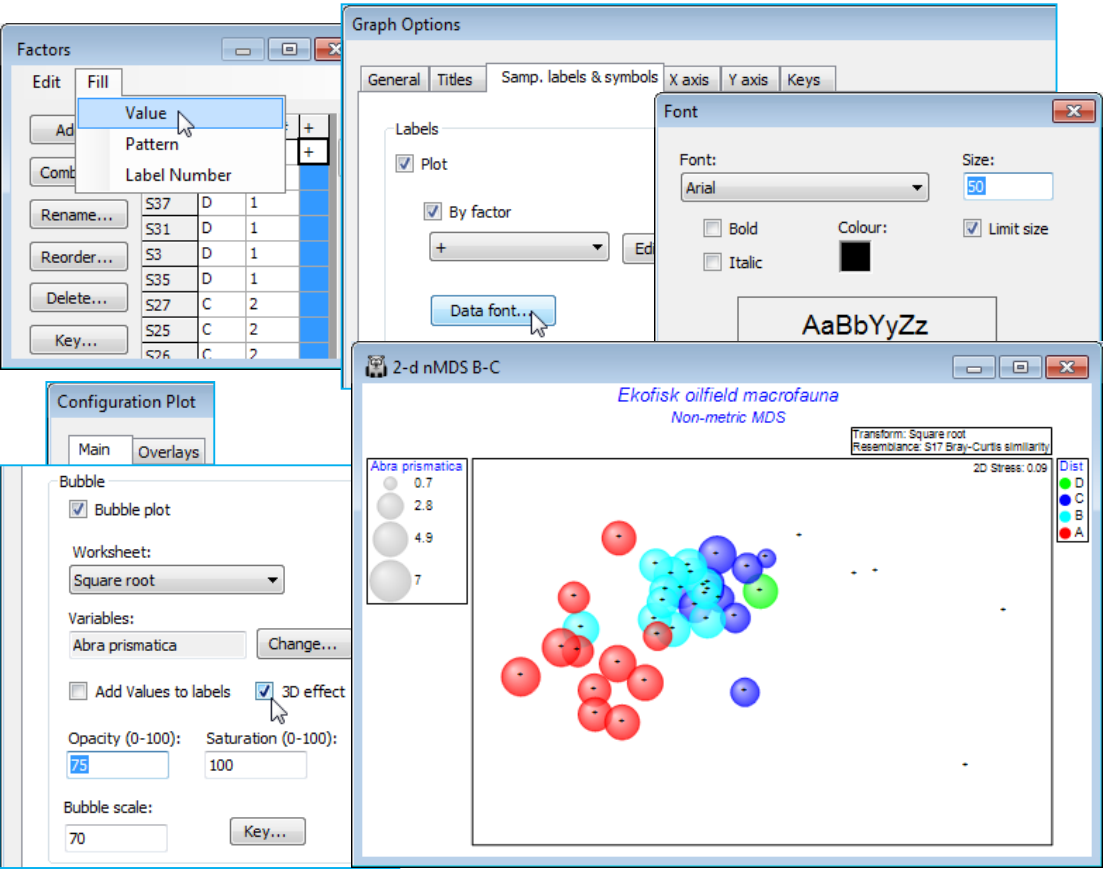
A new feature in PRIMER 7 is that these bubbles will be plotted in different colours – or in mono hatching patterns if the **General**>(✓Monochrome) option is selected – according to levels of the Symbol factor, in this case the four distance groups from the oilfield (A to D). At least, this is what will happen provided the **Key** dialog, accessed from the Bubble section of the **Special** dialog, has not been changed from the default of (✓Use symbol colours). A further feature is that colours can now be plotted opaquely (default) or with a continuous degree of transparency, and/or with bubbles scaled to a smaller maximum size, both of which may be advantageous here, where many bubbles are plotted in close proximity. These features are again controlled with the **Special>Main**>Bubble dialog, e.g. (Opacity: 75) & (Bubble scale: 70), leaving the colour saturation at (Saturation: 100). A further new feature is (✓3D effect), which comes into its own for 3-d ordinations (the default then).
[](https://learninghub.primer-e.com/uploads/images/gallery/2024-07/screenshotpage133a.png)