# Editing labels
Take **File>Open**>(Filename: Tasmania copepods v4.pm1)>Type•Species-sample to input this (archival) v4 format file, and note that the missing species labels could be copied and pasted from elsewhere (if they were available in the same order) – perhaps an external file or, as demonstrated below, from another worksheet within the workspace (Tasmania copepods.pri). All amendments to labels are implemented through **Edit>Labels>Variables** (or **Samples**), then clicking on the label header will highlight the full set of labels for copying out – or pasting into – their contents.
[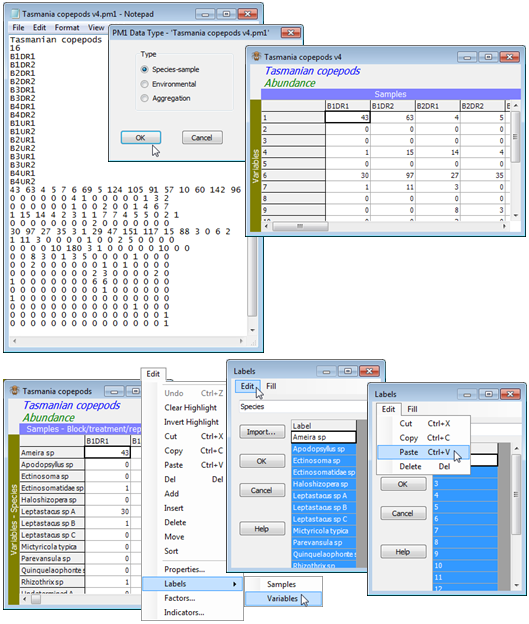](https://learninghub.primer-e.com/uploads/images/gallery/2024-05/screenshotpage36a.png)
Save the current workspace in the C:\Examples v7\Tasmania meiofauna directory, with **File>Save Workspace As**>(File name: Tasmania ws.pwk), for use in the next and later sections.