
Save your data & workspace
Save your data in PRIMER (*.pri) format
To save a data sheet in PRIMER (*.pri) format, click on the data sheet in the Explorer tree inside the PRIMER workspace you want to save and click File > Save Data As....
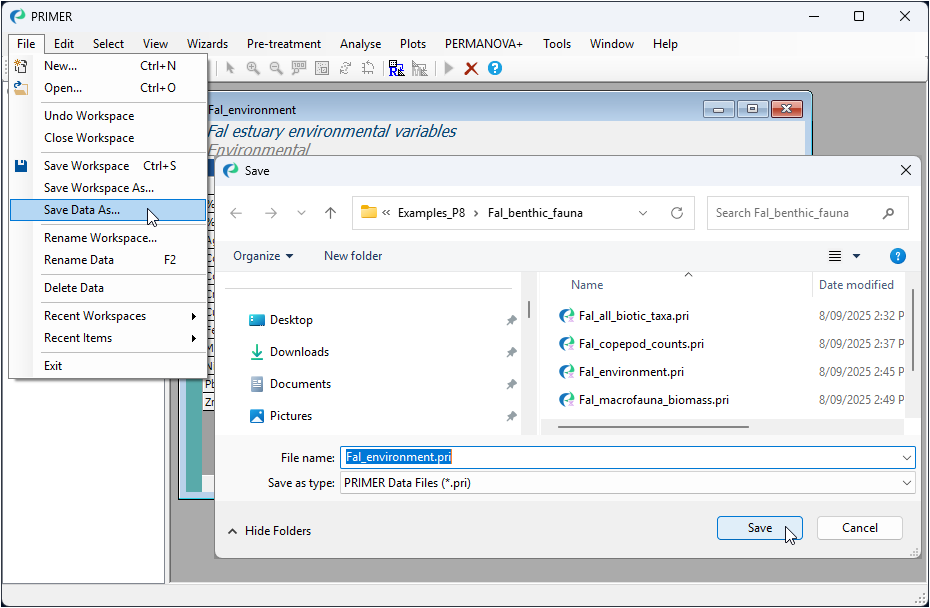
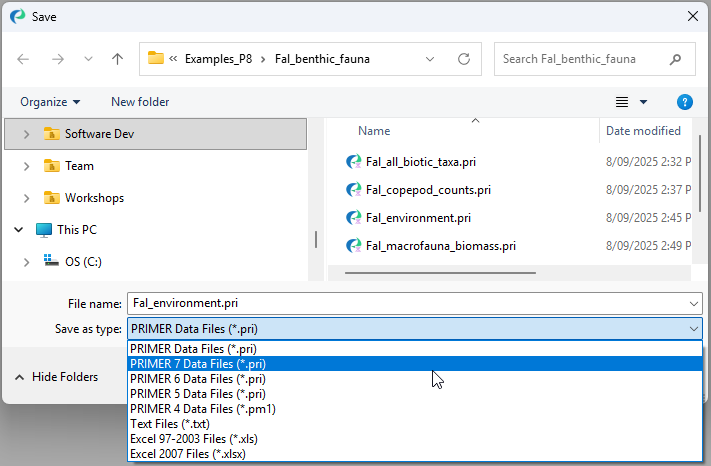
Note the default file-type for saving a data file is 'PRIMER Data Files (*.pri)', as shown in the box labeled 'Save as type:' in the 'Save' dialog. This will save the file in PRIMER 8 data format. You can change this (by clicking in the 'Save as type:' box) in order to save the data in some other format of choice, such as *.txt, *.csv *.xls, *.xlsx, or in a PRIMER data file format compatible with older versions of the PRIMER software (e.g., PRIMER 7 data format):
Save your entire PRIMER workspace (*.pwk)
Generally, you will want to save your data plus all of the work you have done in PRIMER 8 to analyse that dataset. To save the entire PRIMER 8 workspace, click File > Save Workspace As...
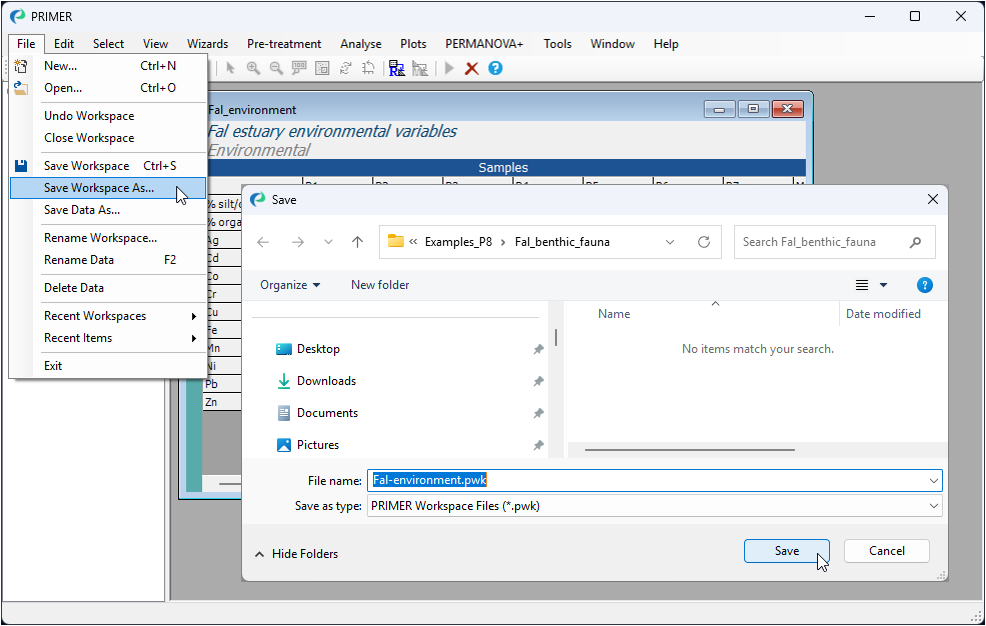
Type the name you wish to give the workspace file (e.g., Fal_environment.pwk), and click Save. This will save the entire PRIMER workspace (not just the data sheet), including all elements you may have created during the PRIMER session (e.g., data, graphics, analyses, etc.), all of which you are able to navigate and see listed (in hierarchical fashion) within the Explorer tree window on the left-hand side of the open PRIMER workspace.
A PRIMER workspace file is identifiable by using the file extension *.pwk in the file name. Double-clicking on a file with this extension will open up that entire PRIMER workspace within the PRIMER 8 software.
The default is to save the workspace file in PRIMER 8 workspace format. You can change this (by clicking in the 'Save as type:' box) in order to save the workspace in a format compatible with older versions of the PRIMER software, i.e., either PRIMER 7 or PRIMER 6 (versions earlier that PRIMER 6 did not have a workspace). Be aware, however, that some of the graphical elements that are new to PRIMER 8 (e.g., Violin plots, Dot plots, etc.) may not appear when the workspace is saved to older file types.