
Trouble-shoot activation issues
Below are some of the problems you may encounter when attempting to activate PRIMER 8 software. You can trouble-shoot these issues yourself, given the information below, or contact us at primer@primer-e.com if you need more help.
You have exceeded the number of permitted activations
Your licence key will permit you to install and activate the software on a number of devices based on the number of seats you have purchased in your subscription plan. If you attempt to activate PRIMER 8 more times than permitted by your licence, you will see an error message that says: 'Too many activations. You may not have more activations than permitted under your licence. Please contact PRIMER-e for support.'.
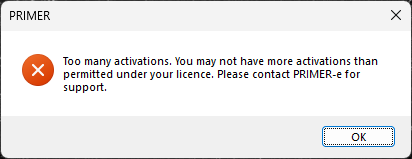
If this happens, you can:
- Increase the number of seats associated with your current subscription plan;
- Start a new subscription plan to accommodate new machine(s)/end-user(s); or
- Deactivate and uninstall the PRIMER 8 software from your machine, enabling you to install and activate the software on a different machine using that same licence key.
You have reauthenticated too many times
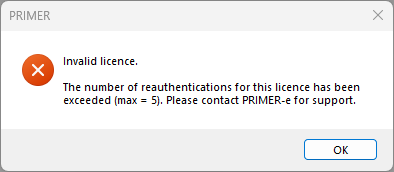
If you deactivate and reactivate too many times within a subscription period, you will receive an error saying 'The number of reauthentications for this licence has been exceeded'. If this happens, contact us directly at primer@primer-e.com with your licence's serial number (or licence key) and a brief explanation of your situation. We'll review your request and get back to you, typically within 1–2 business days.
You cannot deactivate your software
If you are unable to deactivate your software from an old machine (e.g., due to a machine failure), email us directly at primer@primer-e.com with your licence's serial number (or licence key) and a brief explanation of your situation. We'll review your request against our records and get back to you, typically within 1–2 business days. Please note that if you are not the registered owner of the licence key, we will need the registered owner to confirm the request before we can proceed.
Your evaluation period has expired
If you have been using the software in trial mode and have not authenticated a valid licence key within the free 14-day trial period, then the next time you attempt to start up PRIMER, you may see the following notice:
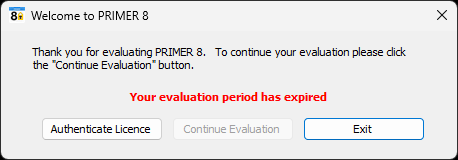
If you have a valid licence key, then you can simply click on 'Authenticate Licence'. Enter your valid licence key in the resulting dialog and click 'Authenticate' to activate the fully functional software in accordance with your paid subscription plan.
Other issues or questions
If you have any other issues or questions, don't hesitate to reach out. Contact primer@primer-e.com for general enquiries or tech@primer-e.com for technical issues. Please provide as much detail as possible when getting in touch — we love screenshots!