
Change your subscription plan
Ready for a change?
You may wish to change your subscription so as to achieve either:
- a 'step up' (increasing entitlements, the number of seats or the length of your term); or
- a 'step down' (decreasing entitlements, the number of seats or the length of your term).
In general, you can achieve any 'step-up' change:
- immediately via the customer portal, or
- at the end of your current term, by contacting us at primer@primer-e.com.
Generally, a step-down change can only be implemented at the end of your subscription's current term, i.e., at renewal. If you wish to implement a step-down change, a change at the end of your current term, or any other change that you cannot achieve yourself in the customer portal, then get in touch with us directly at primer@primer-e.com.
'Step up' your current term and/or plan (with immediate effect)
Sign in to PRIMER-e's customer portal. You can:
- Change from PRIMER 8 Lite to $\rightarrow$ PRIMER 8 with PERMANOVA+; and/or
- Change your term from 12 months (1 year) to $\rightarrow$ 36 months (3 years).
In the portal, you will be shown all term/plan options that are available to you, given your current plan. Once you make your choice, the credit available from your current term/plan will be applied toward your new term/plan, and you will be issued with an invoice for the remainder. You can pay the invoice either immediately via a credit/debit card associated with your subscription, or via any payment method shown on our invoice. (Note: if you have a card associated with your subscription, then the payment will be made on this card automatically when you confirm the change.)
Once your invoice has been paid, the change to your subscription will take effect immediately and an email will be sent to you confirming this. Your subscription number, licence key and serial number remain the same, and there is no need to uninstall/re-install the software itself. However, you will need to re-activate the licence key for your new term/plan and its associated entitlements to occur.
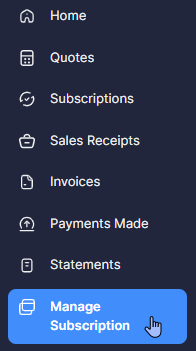
- Click on 'Manage Subscription' (listed in the left-hand panel):
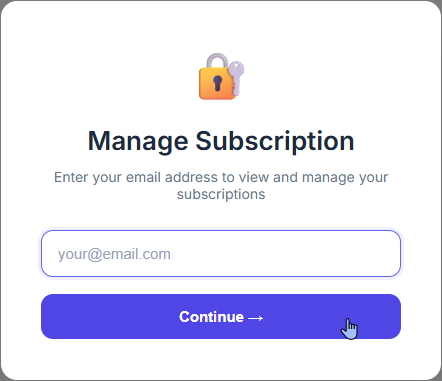
Enter your email address into the box and click 'Continue'.
You will see a list of all your current subscriptions, like so:
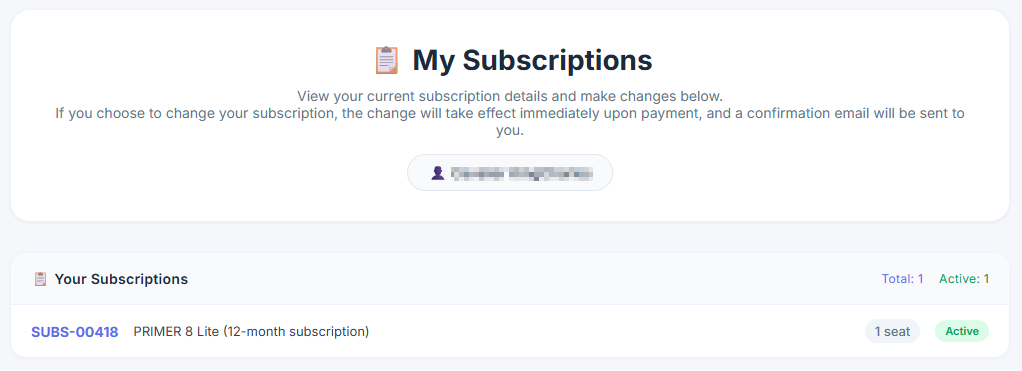
- Click on the name (shown in lavender on the left) of the specific subscription you wish to change (e.g., 'SUBS-00418'). This will take you to more information about that particular subscription further down on the page.
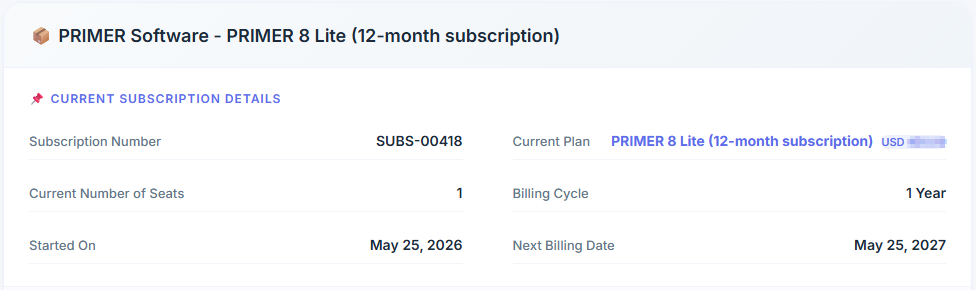
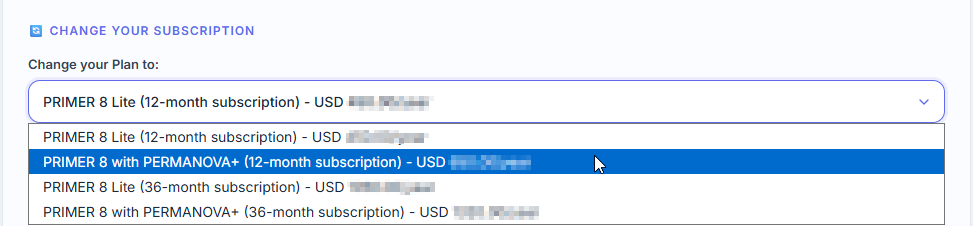
Under this information, you will see a section labeled 'Change your subscription', which includes a drop-down menu. Click on this and you will see all of the 'step-up' plans available to you, along with their price per term. Simply select the plan of your choice. For example, we might choose to add PERMANOVA+ to our current plan (but stick with a 12-month term), so we would choose: 'PRIMER 8 with PERMANOVA+ (12-month subscription)', as shown below:
- If you have a coupon, enter the coupon code where it says 'Add Coupon' and click 'Apply'. *(Note: if you have am existing coupon that is already associated with your subscription and it can be applied in this situation, then it will automatically show up here, and you can choose whether or not to apply it.)

- Check the details associated with this change, including the additional payment required.
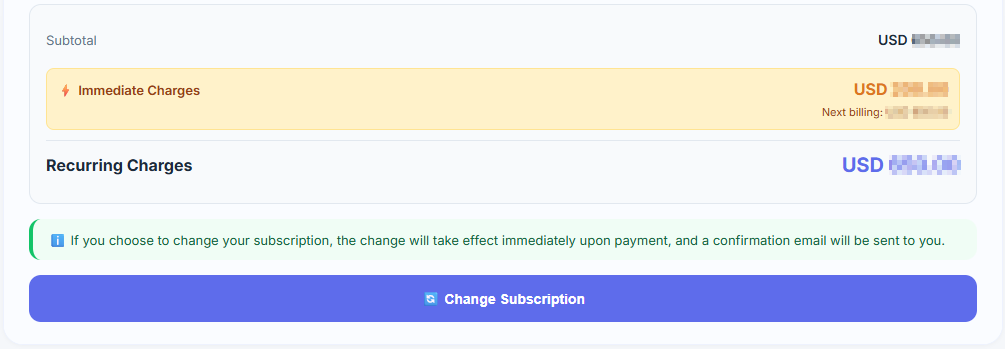
Note that:
- To make your changes you will have to pay for the differential amount. You will be sent an invoice directly.
- Auto-charge will be enabled for this subscription if you use a payment method that supports recurring payments (i.e., if you have a debit or credit card associated with this subscription).
If all the details showing are correct and you are happy to proceed (making sure to include your coupon code, if any), then click 'Change Subscription' at the bottom of the window.
- A 'Confirm Change' window will be shown to you, including a summary of the changes requested and details of the immediate charges.
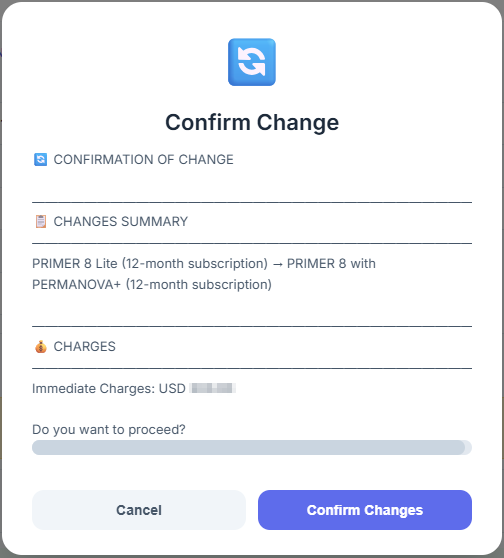
Click 'Confirm Changes' to make the change.
Upon successful completion of the above steps, you will receive an email confirming the change(s) to your subscription plan. The change will take place immediately upon payment, and your licence key will reflect this change in your entitlements right away.
Important: Your current licence key remains the same, but you will need to re-authenticate the software for this change to take effect.
'Step down' your current term and/or plan
At some point, you may decide you wish to 'step down' your current plan and/or term in some way, e.g.:
- Change from PRIMER 8 with PERMANOVA+ to $\rightarrow$ PRIMER 8 Lite; and/or
- Change your term from 36 months (3 years) to $\rightarrow$ 12 months (1 year).
You cannot make this type of change directly in the customer portal. You will need to contact us at primer@primer-e.com and describe the specific change(s) you want and we will be happy to help. When the change has been made, you will receive an email confirming that your request has been documented and that this change will be implemented upon renewal of your subscription. Your invoice/payment due at that time will reflect this change. Note that:
- Your current licence key remains the same and will not reflect the change until the end of your current term, i.e. at renewal.
- You will still have access to all the entitlements and features of your current plan, until the end of your current subscription period.