
1.1 Expansion from P7 to P8
Summary statistics provide essential information to help you get to know your variables, their fundamental statistical properties and numerical characteristics. In P8, if you click on Tools > Summary Stats... you will see (Fig. 1.1) that we have greatly expanded the list of options on offer, compared to those available in P7 (where it used to be accessed under Analyse > Summary Stats...). In some cases, you may wish to calculate summary statistics across the values you are getting across a sample, so this is catered to as well (just as in P7). We have also added the possiblity to output summary statistics separately for different levels of a factor (or different groups of an indicator, in the event that you are summarising samples instead of variables).
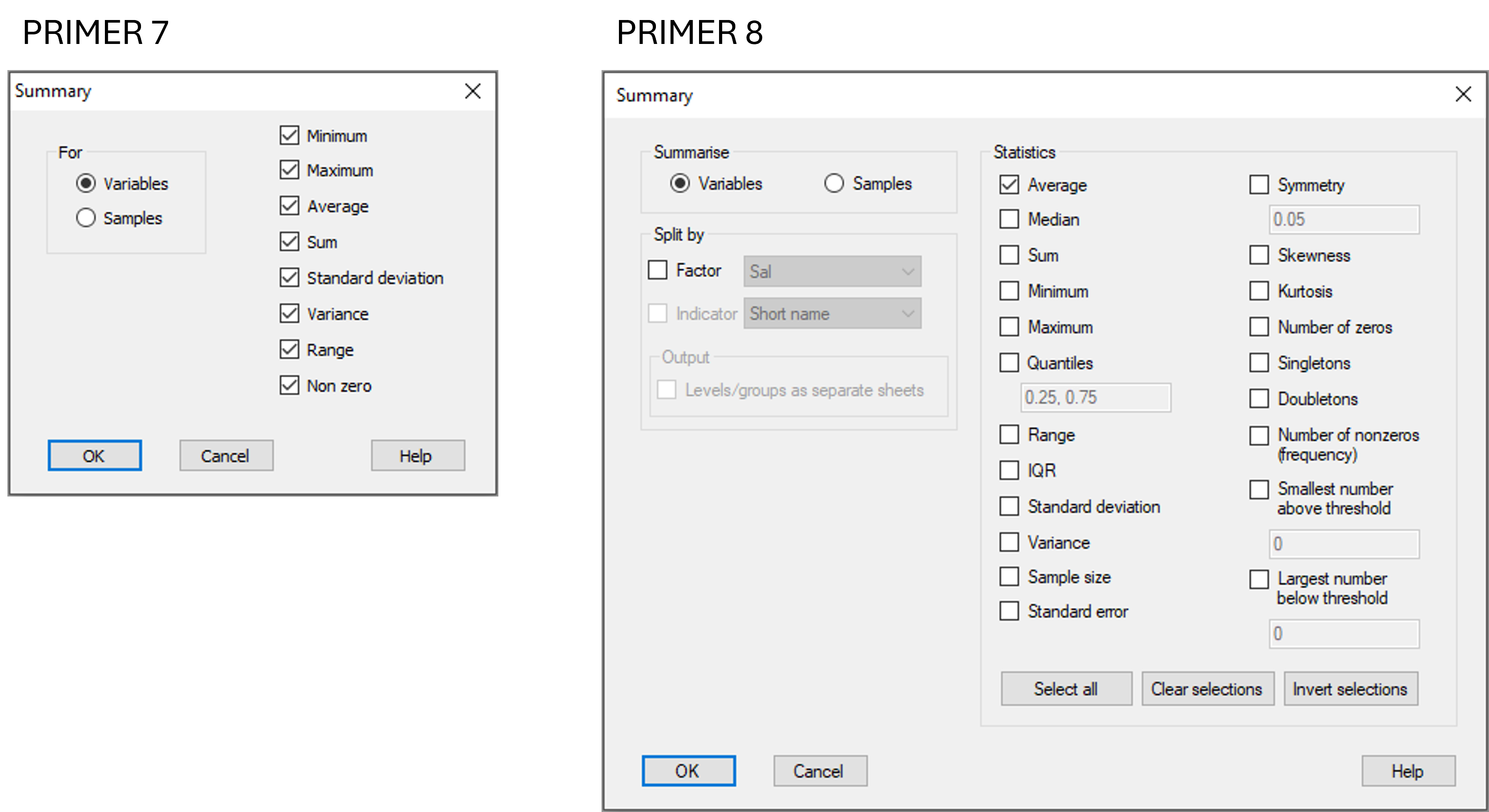
Fig. 1.1. Comparison of the 'Summary Stats...' dialog options in PRIMER 7 vs PRIMER 8.
In what follows, we shall begin by providing a brief description of each of the summary statistics, then demonstrate the use of this new tool by implementing it to summarise information about variables (i.e., across samples). Note that you can also use this tool to summarise information about samples (i.e., across variables).